Common Remote Online Notarization Mistakes
Avoid common remote online notarization mistakes in Florida: identity, connection, documents, and signatures that can delay your filing.
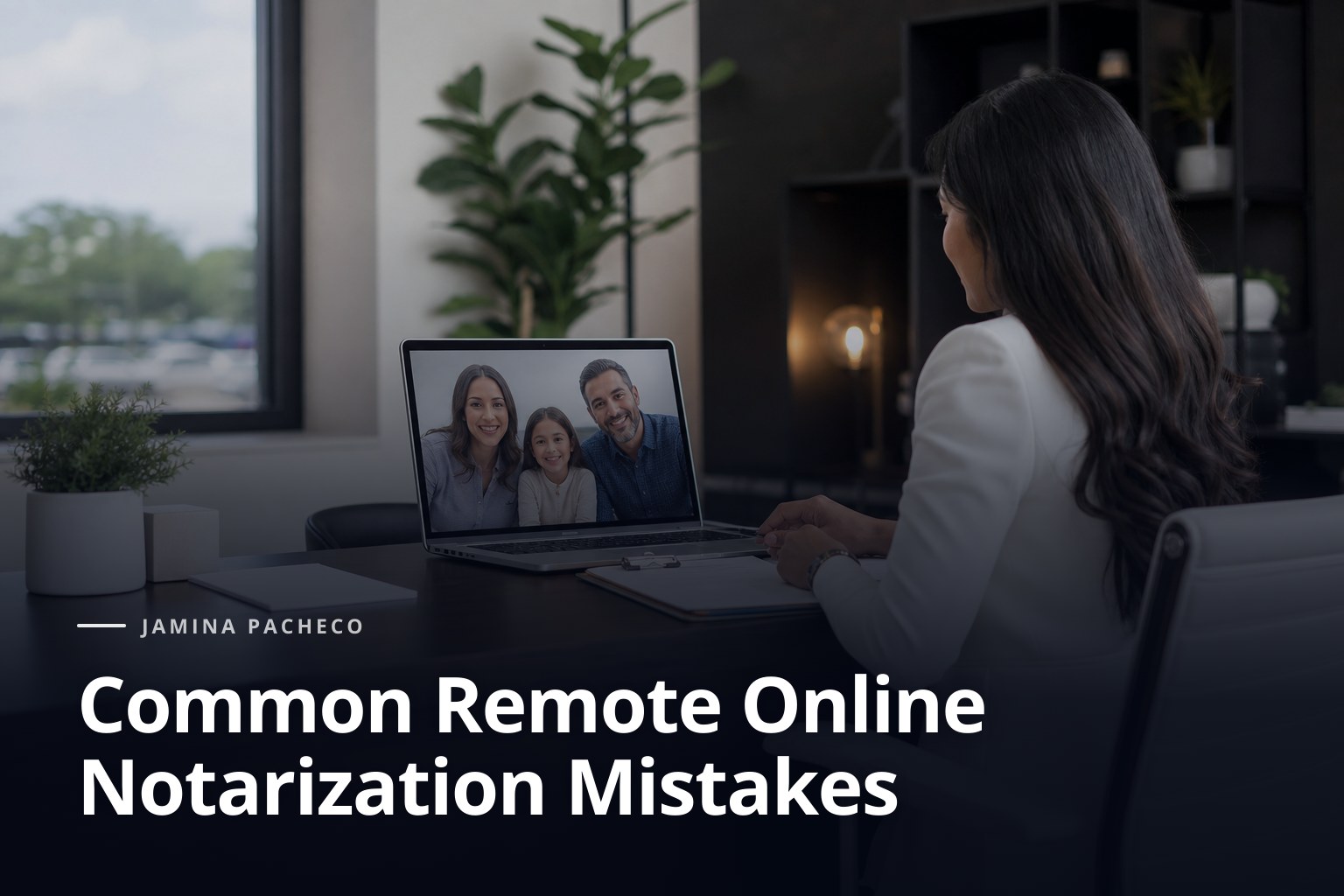
If everything is ready to sign, the problem usually shows up at the very last minute: the document opens incorrectly, the name does not match, or the video call drops just when the notary needs to see the ID. With remote online notarization Florida, those details matter more than they seem, because one small oversight can force the whole process to be repeated.
- Check that your document is eligible for remote signing before you begin.
- Have a valid, readable ID ready.
- Use a stable connection and a device with a working camera and microphone.
- Review that names, dates, and signatures match exactly.
- If the matter is sensitive, ask for guidance before booking the session.
When someone needs to handle a power of attorney, a loan signature, or a personal document without traveling, speed matters. But speed does not make up for poor preparation. That is why it is worth identifying the mistakes that most often delay a remote online notarization Florida and fixing them before you start.
Common mistakes with remote online notarization Florida that do slow things down
The first mistake is assuming that any document can be signed by video call. That is not always true. Some matters require a prior review of the format, the expected signature, or whether the document is already complete and ready to be notarized. If you show up with blank spaces or unclear instructions, the session stalls.
It is also common to forget that the notary cannot “fix” the content of the document. Their role is to certify the signature, identity, and intent of the person signing, not to draft or correct text. If the document has the wrong date, incomplete names, or an inconsistent clause, the responsibility for correcting it falls on the person submitting it.
In Orlando and central Florida, this happens often with people who need to move fast because of work, family, or travel logistics. The rush leads them to send the file without reviewing it. Then avoidable delays appear in a remote online notarization Florida that seemed simple.
Incomplete or inconsistent identity
ID is one of the most common failure points. Having a driver’s license or passport is not enough: the name must match the one on the document, and the ID must be valid, readable, and in good condition. If there are major differences between the legal name and the name in the file, the session may stop.
Another frequent problem is showing blurred documents on camera or using poor lighting. In a remote session, the notary needs to clearly see the person and verify the basic information. If the phone camera will not focus, if the network freezes, or if the light casts shadows on the face, the process loses momentum.
Incomplete document or signatures in the wrong place
Many users arrive without checking the signature block, the notarial certificate, or the pages that were supposed to be attached together. That creates questions and forces a delay. In matters such as powers of attorney, affidavits, or financial forms, a separate page or a signature in the wrong section can make the act invalid.
Visual review matters more than it seems. If the document asks for initials on several pages, includes attachments, or requires witnesses, it needs to be prepared before the call. It is not a good idea to count on solving everything “on the fly” during remote online notarization Florida.
Unstable connection or poorly prepared equipment
A video call with interruptions is not only annoying; it also interrupts the verification and forces steps to be repeated. If the connection fails while the signer is being identified or while the document is being shown, all the time invested is lost. The problem gets worse if the person tries to use a device without a working camera, with a low battery, or with outdated software.
Before booking, it is worth doing a simple test: open the camera, turn on the microphone, and make sure the file can be read on screen. If the session will happen from a mobile phone, it helps to make sure the document is visible without having to zoom in constantly. For important signatures, basic technical preparation prevents unnecessary interruptions.
Before-hand preparation for a smooth remote online notarization Florida
The best way to avoid mistakes is to arrive with the process nearly ready. That means reading the full document, confirming that there are no spaces that should not be there, and preparing the exact ID that will be used during the video call. It also helps to know whether there will be more than one signer and whether everyone will be available at the same time.
When the document has several parts, order matters. First the file is reviewed; then the identity; then the signature and the certificate, if applicable. Skipping one of those steps usually creates rework, especially when several people are involved or when the matter must be completed in a single session.
To better understand the services available and choose the right format, you can review the Services page or the Remote Online Notarization (RON) section. If you need to compare this option with another format, the information on Mobile notary service may also be helpful.
Signs you should review before scheduling
There are very clear signs that the document is not ready yet. If the file has blank spaces, name variations, unnumbered pages, or conflicting instructions, it is best to stop before scheduling. Any document that depends on a date, witnesses, or special certification also deserves attention.
Another warning appears when the signer does not know whether to sign now or wait for the session. That uncertainty often leads to incorrect marks, premature signatures, or printed pages with changes. In urgent matters, these mistakes translate into a second appointment, and that always costs more time than taking a few extra minutes at the start.
What to check in the file before opening the video call
It is wise to confirm that the name is written the same way throughout the document, that all pages are complete, and that no attachments are missing. If the person will be signing on behalf of someone else, you also need to confirm that the corresponding power of attorney or authorization exists and is still valid. When there are questions about that type of matter, reviewing the information on Power of attorney can help before moving forward.
If the case involves an affidavit, a copy certification, or an oath, the document structure must be respected from the start. The Affidavits and oaths section can serve as a reference for understanding what kind of act is being requested. Preparing the file well avoids improvisation that later interrupts remote online notarization Florida.
The signer’s identity: the most sensitive point
Identity is the foundation of the entire process. If it is not possible to clearly verify who is signing, nothing else can move forward. That is why it is a mistake to use an expired, damaged, or mismatched ID. It is also a problem to present a valid ID but not have it physically at hand during the video call.
In Florida, verification must be handled carefully, because the notary cannot assume or correct assumptions. The name, photo, and validity matter, but so does the ability to show the document without glare or sudden movements. A poor camera capture can make the ID unreadable, even when the document is otherwise in order.
If you are going to use a passport, driver’s license, or another accepted ID for the session, prepare it in advance. Having it next to you, in good condition, and with the same name that will appear in the signature is a simple way to avoid pauses. What seems like a minor detail is often the main cause of delays in a remote online notarization Florida.
When there are multiple signers or someone signs for another person
Mistakes multiply when more than one person is signing. A shared video call requires everyone to appear clearly, have their ID ready, and follow the same pace. If one signer joins late or has a different document, the act may not be completed in that session.
It is also important to distinguish between signing personally and acting under valid authorization. If someone must sign for another person, it is not enough to “say they are authorized.” The proper supporting document must exist. When it comes to powers of attorney or authorizations, reviewing the specific case first avoids risky assumptions.

Signatures, witnesses, and certificates: mistakes discovered too late
Not all documents work the same way. Some only need a signature; others require witnesses; others include a specific certificate. The mistake happens when the person signs too early or when the document has already been marked in a way that prevents the notarial act from being completed correctly.
There is also confusion around the spaces reserved for the notary. If the signer fills out the entire form without leaving room for the certificate, or if they print the wrong version of the document, the process becomes complicated. In those cases, the solution is not to “force” the session, but to return to the correct file.
In real estate matters, such as mortgage closings and loan signings, this review must be even stricter. The Mortgage closings and loan signings section helps show why a small omission can have a major effect on the closing schedule.
Separate pages, attachments, and incomplete documents
A very common mistake is submitting loose pages without confirming they belong to the same document. If the file was sent in parts, if attachments are missing, or if the printout changed the order of the pages, the notary may not have a complete picture of the act. That makes any remote session risky.
Before starting, check that everything is in the same file or at least clearly identified. Do not leave the attachment, the final page, or the instruction sheet for later. In a remote online notarization Florida, document disorganization shows up quickly and almost always forces steps to be repeated.
When it is better to choose another format
There are cases where a video call is not the most convenient option. If the signer does not have a good connection, if the document requires physical presence because of its format, or if the personal situation calls for in-person support, another format may be better. Orlando offers useful alternatives for people who need to get things done without wasting time, such as mobile service or in-person assistance.
If the matter includes an apostille after notarization, it is also wise to review the document’s full path so you do not rush through signing something that will need more steps later. The Apostilles page explains the service for Florida documents that must be used in another country. And if you want to better understand how video call access is handled, you can review the official help from iam-eva.ai, which is useful when a technology platform is used for the session.
How to reduce mistakes before booking the appointment
The most efficient way to avoid problems is to review the matter with a transactional mindset, not just a file-checking mindset. Ask yourself whether the document is complete, whether the name matches, whether the ID is valid, and whether the connection will allow clear audio and video. If any answer raises doubt, it is better not to wait until the video call to find out.
It also helps to choose the right format from the beginning. Sometimes remote notarization works perfectly; other times the document, the signer, or the context makes the in-person or mobile service more practical. That decision saves rescheduling and prevents an urgent matter from turning into an unnecessary delay.
If the matter is related to family, a minor’s travel, or a special authorization, reading ahead is even more important. You can review Minor travel consent if you need to notarize authorization for a minor to travel without one parent. And if the issue is marital, there is the option of Wedding ceremonies where the law allows it.
Small mistakes that end up costing time
A low battery, the wrong email, a printer that did not make the signature clear, or a name written with a different variation can seem like minor issues. However, in a remote session they often turn into real delays. The efficiency of the process depends on basic details that cannot be improvised once the call has started.
The same is true of communication. If the signer does not understand what they need to have ready, or if they confuse the notary with a legal drafting service, the process slows down. A notary certifies acts; they do not draft documents or replace legal advice. Knowing that difference avoids false expectations.
When to ask for help before signing
Asking for guidance does not mean the matter is complicated; it means you want to avoid a rejection or a second appointment. If the document involves multiple signers, will be used outside the country, or depends on a specific structure, it is wise to ask before booking. A prior review is always cheaper in time than fixing issues afterward.
The same logic applies when there is urgency. A mortgage closing, a travel authorization, or a power of attorney needs to move forward without guesswork. In those scenarios, a brief review before the session can be the difference between signing once and having to coordinate everything again.
For clear guidance in Spanish and English in Orlando and central Florida, you can visit the About Jamina page and check the blog at Blog if you want to see other helpful notarization topics. If you prefer direct assistance, the Book an appointment information is available to coordinate the matter.
What it is worth asking before the appointment
Ask whether the document can be signed remotely, which ID you should bring, whether witnesses are needed, and whether the file is ready to sign. If you have questions about the format, it is also worth asking whether the case is better suited to a remote session or an in-person visit. That kind of question prevents mistakes that usually show up once the video call has already started.
If language is a barrier, confirm in advance that you will be able to communicate in Spanish or English. In sensitive matters, understanding every instruction is just as important as having the right document. A smooth session depends on the file and the communication alike.
When a remote session is not the best option
If the signer cannot be clearly identified, if they do not have a private space, or if they have no way to connect reliably, another format may be safer. It can also happen that the document has special requirements and is better handled in person or through a mobile visit. Recognizing that in time avoids a failed session.
Remote notarization is a useful tool, not a universal solution. Using it well means choosing it when it truly makes the process easier. That judgment protects the client’s time and reduces the margin for error in a remote online notarization Florida.
Frequently asked questions about remote online notarization Florida
What do I need ready before a remote online notarization Florida?
You need the complete document, a valid ID, a working camera and microphone, and a stable connection. If there are multiple signers, everyone must be available and ready at the same time.
Can I notarize any document by video call?
Not always. Some documents can be signed remotely, while others require a different format because of their content, layout, or additional requirements. It is best to review the matter before scheduling.
What happens if my ID is expired?
In general, an expired ID may prevent the session from being completed. If you are unsure which ID to bring, it is best to ask before starting so you do not waste an appointment.
Can the notary correct errors in the document?
No. The notary’s role is to certify the signature and identity, not to draft or correct the document’s content. If there are mistakes in names, dates, or blank spaces, those must be fixed beforehand.
What should I do if my internet connection drops during the session?
You should reconnect as quickly as possible and follow the instructions of the notary or the platform. If the problem continues, the session may need to be rescheduled to ensure everything is completed properly.
Is remote online notarization Florida good for urgent matters?
Yes, it can be a fast option when the document is well prepared and identity can be verified without issues. If the matter has special conditions, it is worth reviewing it first so you do not lose time.
If you want to avoid a rejection because of identity issues, an incomplete file, or an unstable connection, book your appointment here and review the document in advance. A short preparation before remote online notarization Florida usually saves much more time than trying to fix it during the call.
When the matter cannot wait, you can count on clear guidance in Spanish and English to choose the most convenient format. Schedule your service with Jamina Pacheco and have your document ready before you open the video call.
Was this useful?
If you need help with this in Orlando, I'm glad to take care of it.